使用
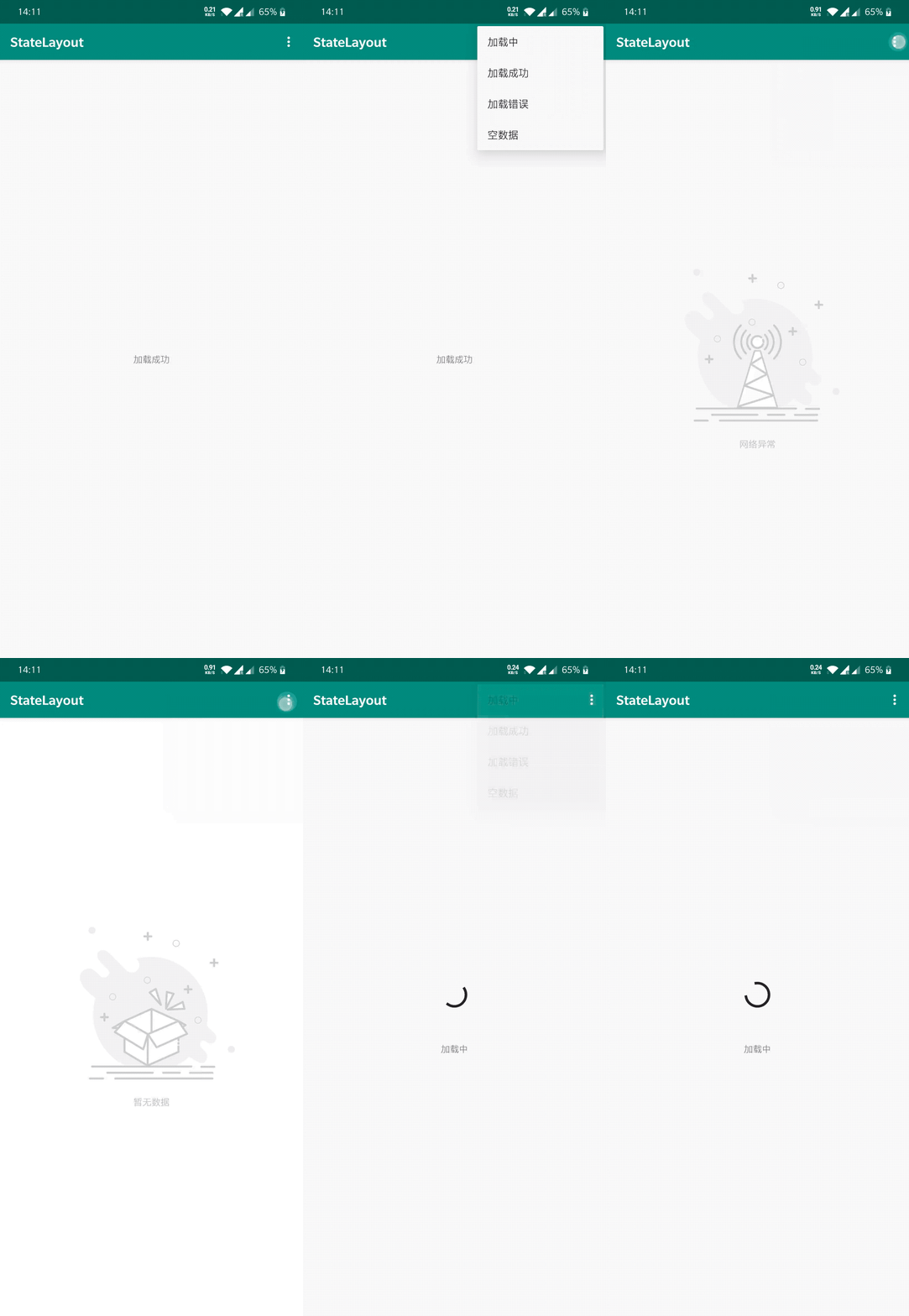
首先明确的就是StateLayout布局包裹的内容才能控制其显示缺省页, 所以在我们创建缺省页的时候一定要包裹住一个内容作为内容页面
- StateLayout继承自FrameLayout
- StateLayout不能通过代码包裹ViewPager中的Fragment, 因为其ViewPager的视图容器无法被替换
创建缺省页
创建缺省页支持两种方式.
Activity/Fragment/View都可以使用函数state来创建StateLayout, 代码创建属于addView的替换视图对象的原理, 其过度使用可能容易造成视图参数丢失, 不推荐频繁使用.
推荐在布局中创建缺省页
state() // 该函数可以在 Activity/Fragment中使用, 或者 View.state()
<com.drake.statelayout.StateLayout
    xmlns:app="http://schemas.android.com/apk/res-auto"
    xmlns:tools="http://schemas.android.com/tools"
    android:id="@+id/state"
    android:layout_width="match_parent"
    android:layout_height="match_parent"
    tools:context="com.example.statelayout.MainActivity">

    <TextView
        android:id="@+id/tv_content"
        android:layout_width="wrap_content"
        android:layout_height="wrap_content"
        android:layout_gravity="center"
        android:text="加载成功" />

</com.drake.statelayout.StateLayout>
TextView即我们假设的内容页
设置缺省页
设置缺省页可以通过两种方式设置
state.apply {
    emptyLayout = R.layout.layout_empty // 配置空布局
    errorLayout = R.layout.layout_error // 配置错误布局
    loadingLayout = R.layout.layout_loading // 配置加载中布局
}
<com.drake.statelayout.StateLayout
    xmlns:app="http://schemas.android.com/apk/res-auto"
    xmlns:tools="http://schemas.android.com/tools"
    android:id="@+id/state"
    app:empty_layout="@layout/layout_empty"
    app:error_layout="@layout/layout_error"
    app:loading_layout="@layout/layout_loading"
    android:layout_width="match_parent"
    android:layout_height="match_parent"
    tools:context="com.example.statelayout.MainActivity">

    <TextView
        android:id="@+id/tv_content"
        android:layout_width="wrap_content"
        android:layout_height="wrap_content"
        android:layout_gravity="center"
        android:text="加载成功" />

</com.drake.statelayout.StateLayout>
显示缺省页
state.showLoading()
state.showEmpty()
state.showError()
state.showContent()
show*()函数都有一个Any参数, 可以传递任何对象到生命周期中, 进行定制化展示不同的缺省页